
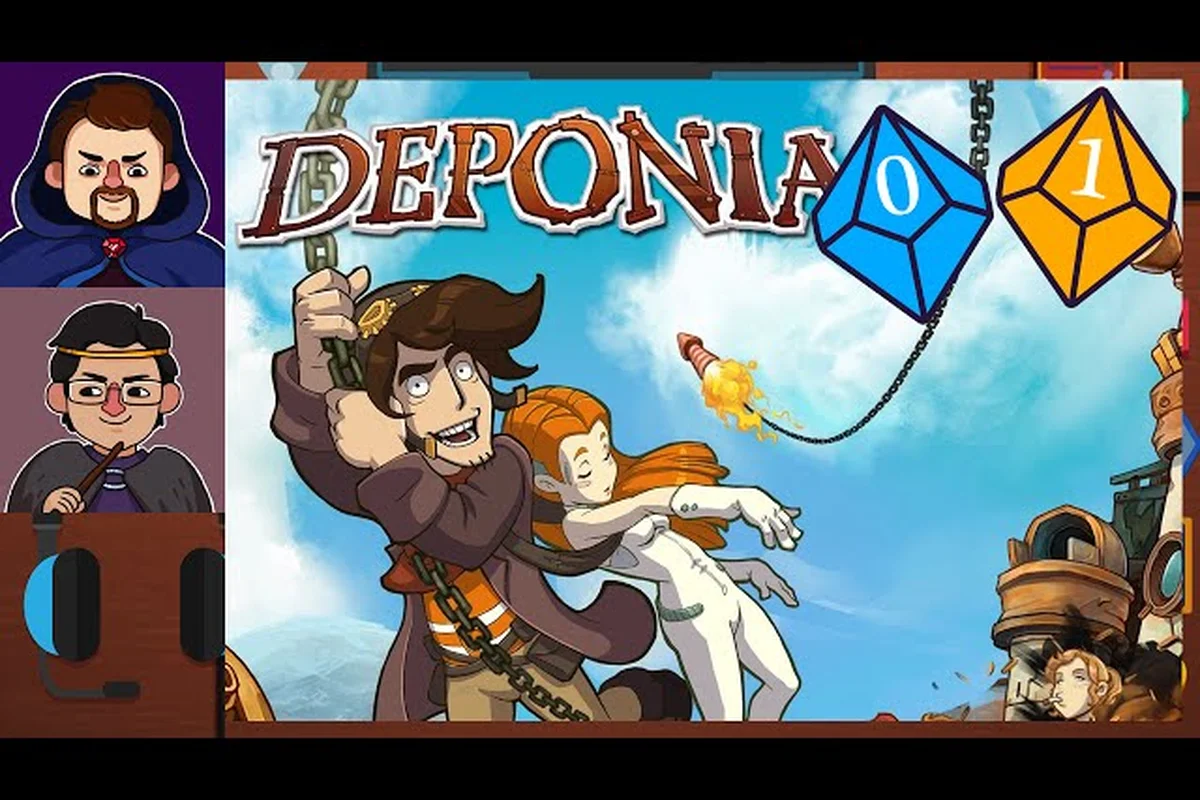
If you just picked up Deponia and feel lost in the junkyard world of floating trash islands, this deponia beginner guide will get you moving in the right direction within minutes. The 2012 point-and-click classic from Daedalic Entertainment rewards curiosity and careful observation, but its puzzle logic can feel opaque if you don't understand the core interaction loop. Learning how to play deponia starts with mastering three simple actions: left-click to interact, right-click to examine, and combining inventory items to create solutions. This deponia game guide breaks down the mechanics, interface, and puzzle-solving mindset you need to enjoy the adventure without frustration.
The game's charm comes from its hand-drawn art style and witty dialogue, but the real depth lies in its item combination system and environmental puzzle design. According to the official Deponia page on Steam, the core loop is classic adventure gameplay: left-click to use or talk, right-click to examine, combine inventory items, and hold the middle mouse button to reveal the hint system that highlights interactive hotspots. That description sounds simple, yet the game throws genuinely challenging puzzles and hours of dialogue at you. This guide exists to bridge that gap between "I clicked everything" and "I understand how the game thinks."
Mastering Deponia's Three Core Interactions
Before you can solve any puzzle, you need to internalize how the game expects you to interact with the world. Deponia for beginners often stumbles because players treat it like a modern action game instead of a methodical adventure title. The interaction system rewards patience and systematic exploration, and once you grasp the rhythm, everything else falls into place.
The fundamental actions break down into three categories that you will use constantly throughout the entire playthrough. Each action serves a distinct purpose, and knowing when to use which one separates smooth progress from frustrating dead ends.
| Action | Input | Purpose | Example |
|---|---|---|---|
| Interact | Left-click | Talk to characters, use objects, pick up items | Click on a lever to pull it |
| Examine | Right-click | Read descriptions, gather clues, spot hidden details | Right-click a poster to learn its text |
| Combine | Drag items together | Create new tools or solutions | Combine rope with hook to make grappling hook |
The hint system deserves special attention because it acts as your safety net. Holding the middle mouse button highlights all interactive hotspots on the current screen, which prevents you from missing critical objects. This feature is invaluable when you feel stuck, because it tells you what you can interact with, even if it doesn't tell you how to solve the puzzle. Many players report that the hint system saved them from giving up during the game's more obscure moments.
Why the Right-Click Examine Action Matters More Than You Think
New players often skip the examine action because it seems like a waste of time, but this is a critical mistake. Right-clicking provides flavor text that frequently contains puzzle-relevant information, such as a character mentioning a weakness, an object revealing a hidden function, or a location hint pointing you toward the next objective. The game hides essential clues inside these descriptions, so treating examine as optional will leave you stuck.
The examine action also builds your understanding of the game's world and humor. Deponia's writing shines through these descriptions, and you will miss half the comedy if you never right-click anything. Beyond the entertainment value, the descriptions often reference other puzzles or items you have not encountered yet, planting seeds for later solutions. A complete deponia game guide must emphasize this habit because it directly impacts your ability to progress.
Mastering the Inventory and Item Combination System
The inventory system sits at the heart of how to play deponia effectively. You collect objects throughout your journey, and the solutions to most puzzles require combining two or more items into something new. This mechanic feels intuitive once you understand the logic, but the game rarely tells you which items pair together, leaving that discovery to you.
Your inventory appears at the bottom of the screen, and you can open it at any time by moving your cursor to the bottom edge. Items display as small icons, and you can select them to see a description or drag them onto other items to attempt a combination. The game only allows combinations that make sense, so you will not waste time trying random pairs that do nothing.
| Inventory Action | How to Perform | When to Use |
|---|---|---|
| Select item | Click the item icon | To view description or prepare for use |
| Use item on world | Drag item onto a hotspot | When you have a logical idea |
| Combine items | Drag one item onto another | When two items seem related |
| Drop item | Drag item outside inventory | Rarely needed, but frees space |
The combination logic follows a consistent internal rule: items combine when their functions complement each other. A broken object combines with a repair tool, a container combines with a substance, and a tool combines with a handle. If you find yourself stuck, look at your inventory and ask what each item does, then consider which items could work together to create a new function.
Common Combination Patterns That Appear Throughout the Game
Deponia for beginners becomes significantly easier when you recognize the recurring combination archetypes. The game reuses certain logical structures across different puzzles, so once you internalize these patterns, you can apply them to new situations without starting from scratch each time.
-
Container + Contents: A jar combines with a liquid or small object to create a usable version of that substance
-
Tool + Handle: A blade combines with a stick to create a cutting implement
-
Broken + Repair: A damaged item combines with tape, glue, or a replacement part
-
Disguise + Accessory: A costume piece combines with a prop to create a convincing disguise
-
Power + Device: A battery or fuel source combines with a machine to activate it
These patterns appear repeatedly, and recognizing them early will save you hours of trial and error. The game also rewards experimentation, so if you have a reasonable theory about a combination, try it. The worst outcome is a humorous failure message, and the best outcome is a new item that unlocks progress.
Using the Middle-Button Hotspot Finder
The middle mouse button hint system is your best friend when you feel stuck, but using it effectively requires understanding what it does and does not tell you. Holding the button highlights interactive hotspots, which helps you identify what you can click, but it does not explain how to solve the puzzle. This distinction matters because the hint system prevents you from missing objects while still leaving the intellectual challenge intact.
Many players wonder whether using the hint system counts as "cheating" or diminishing the experience. The answer depends on your playstyle, but the game includes this feature intentionally as a difficulty aid. If you prefer pure puzzle solving, you can ignore it entirely. If you want a gentle nudge, the hotspot highlight often provides enough context to spark the right idea without handing you the solution.
| Hint Level | What It Shows | How Much It Helps |
|---|---|---|
| Hotspot highlight | All clickable objects on screen | Prevents missed interactions |
| Character dialogue | Repeating conversations with NPCs | Provides narrative hints |
| Item descriptions | Re-reading inventory text | Reminds you of item functions |
| Combination attempts | Trying logical pairs | Confirms or denies theories |
The dialogue system also functions as an unofficial hint mechanism. Characters often repeat or rephrase their requests when you talk to them again, and these repetitions frequently contain subtle clues about what you need to do next. If you feel lost, revisit the characters in the current area and exhaust their dialogue options. The game writes these conversations to guide you without breaking the fourth wall.
When to Step Away and Reassess Your Approach
Sometimes the best strategy is to stop clicking and think about the puzzle from a different angle. Deponia's puzzles often require you to consider the environment as a whole rather than focusing on a single object. If you have tried every obvious interaction and nothing works, take a mental step back and ask what you are trying to accomplish, then consider what tools you have and what the environment offers.
The game also rewards paying attention to character motivations. NPCs tell you what they want, and their requests usually point directly toward the puzzle solution. If a character wants a specific item, your job is to figure out how to obtain or create that item using your inventory and the environment. This goal-oriented thinking transforms vague puzzle screens into clear objectives.
Essential Puzzle-Solving Strategies for New Players
Developing a systematic approach to puzzles will serve you better than raw intuition, especially when the game throws its more obscure challenges at you. This deponia game guide recommends adopting a consistent problem-solving framework that you apply to every puzzle you encounter. The framework prevents you from wasting time on random clicking and keeps your thinking organized.
The most effective strategy combines environmental observation with inventory analysis. Start by examining everything on screen, then review your inventory items and their descriptions, then form a hypothesis about what needs to happen, and finally test your theory through interactions. This cycle repeats until you solve the puzzle, and each iteration narrows down the possibilities.
| Strategy | Description | Best Used When |
|---|---|---|
| Exhaustive examine | Right-click everything first | Starting a new area |
| Inventory audit | Review all items and descriptions | Feeling stuck mid-puzzle |
| Character dialogue | Talk to everyone multiple times | Unsure of your objective |
| Combination brainstorming | List possible item pairs | Have many inventory items |
| Hotspot check | Hold middle mouse button | Missed an interactive object |
The exhaustive examine strategy works particularly well at the start of each new area because it builds your mental map of what is available. You learn what objects exist, what they look like, and what their descriptions say, which gives you the raw material for solving puzzles later. Skipping this step forces you to backtrack when you realize you missed a crucial clue.
How to Approach the Game's Most Obscure Puzzles
Every Deponia player eventually hits a puzzle that seems completely illogical, and how you handle that moment determines whether you enjoy the game or abandon it. The key insight is that Deponia's puzzle logic follows its own internal consistency, even when it seems arbitrary. The solutions make sense once you understand the game's comedic tone and its willingness to embrace absurdity.
The game frequently uses humor as a puzzle mechanic, meaning the "correct" solution is often the funniest option rather than the most practical one. If your logical solution does not work, try thinking about what would make the most entertaining outcome. This mindset shift unlocks many of the game's trickier moments and aligns your thinking with the developers' intentions.
Frequently Asked Questions
What is the best way to start playing Deponia as a complete beginner?
Start by exploring the first area thoroughly, right-clicking every object to read descriptions, and talking to every character multiple times. This builds your understanding of the world and gives you the context needed for early puzzles. The hint system with the middle mouse button is available from the start, so use it whenever you feel stuck.
How do I combine items in Deponia?
Open your inventory by moving the cursor to the bottom of the screen, then drag one item icon onto another item icon. The game only allows combinations that make logical sense, so you will not waste time on impossible pairs. If a combination works, a new item appears in your inventory automatically.
Does the game have a built-in hint system?
Yes, holding the middle mouse button highlights all interactive hotspots on the current screen. This helps you find clickable objects without spoiling the puzzle solution. The game also provides hints through character dialogue, as NPCs often repeat or rephrase their requests when you talk to them again.
How long does it take to complete Deponia?
Most players finish the main story in roughly 8 to 10 hours, though completion time varies based on how quickly you solve puzzles and how much optional dialogue you explore. If you want a deeper breakdown of playtime expectations, check out our Deponia completion time guide for detailed estimates.
Is Deponia suitable for players new to point-and-click adventures?
Absolutely, the game serves as an excellent entry point to the genre because its controls are simple and its hint system prevents you from getting permanently stuck. The puzzles challenge your thinking without requiring genre-specific knowledge, and the humor keeps the experience light even when you feel frustrated.